Legal Name: Global Food Solutions, Inc.
DBA: Global Food Solutions
EIN: 30-0173056
DUNS: 19-215-7100
SAM.gov UEI: FP3VV7ZUXY79
NY DOS ID: 2852728
NAICS: 424490
SIC: 5141
Entity: S Corporation (New York)
Year Est: 2003
Ownership: Private 100% Family Owned
Address: 131 Heartland Blvd, Edgewood, NY 11717
Phone: (877) 728-5550
Website: GlobalFoodSolutions.co
Payment Terms: Net 30
Bank: Chase Bank, Hauppauge, NY 11788
Primary Contact: Michael Levine, CEO
Cell: (631) 332-7754
AR: AR@GlobalFoodSolutions.co
AP: AP@GlobalFoodSolutions.co
Orders: Danielle@GlobalFoodSolutions.co
■ Each surface auto-deploys from the Corporate Hub repository to Cloudflare Pages. 12 surfaces · v10.0 estate.
Our Mission · Est. 2003
To deliver high-quality, safe, and affordable food products that nourish communities.
With integrity, reliability, and a commitment to excellence in everything we do — from pallet to plate, from Edgewood to every school district, hospital, and shelter we serve.
Founded
2003
HQ
Edgewood NY
Cumulative Revenue
$170.9M
01Brand VibeFive words that describe us
Precise
Global
Fresh
Reliable
Intelligent
■ Used on cover slides, hero sections, and brand templates.
02Brand PillarsHow the mission shows up in operations
01
PRECISE
Pallet-level accuracy. Lot-traced from dock to delivery.
02
GLOBAL
Sourced from 4 continents. Distributed across 50 states.
03
FRESH
Cold chain locked from −10°F freezer to chilled truck.
04
RELIABLE
99.7% on-time. 99.99% temperature compliance.
05
INTELLIGENT
AI-native. NetSuite-deep. Built for scale.
Our Values
Food Safety First
Every decision starts with safety. SQF certified, HACCP compliant, FDA registered. We never compromise on the quality or safety of what we put in front of people.
Reliability
When we say it ships, it ships. Our customers count on us for consistent supply, accurate orders, and on-time delivery — every time.
Integrity
We do what we say. Honest pricing, transparent communication, and fair treatment of our employees, vendors, and customers.
Family Owned, Team Driven
100% family owned since 2003. Every team member matters. We invest in our people because they are the foundation of everything we build.
Who We Serve
K-12
Schools
NYCDOE, USDA commodity programs, school food service
What we ship this year. Bid wins, facility upgrades, AI rollout, brand 10.0.
Plan Year 2026Quarters 4Owner Mike LevineReview Quarterly
2026 · Annual Plan
Company Objectives
What we're focused on as a team this year — bid wins, facility upgrades, AI rollout, brand 10.0.
Quarters
4
Owner
Mike Levine
Review
Quarterly
2026 Priorities
Company-wide priorities and focus areas for 2026. These guide how we allocate time, resources, and attention as a team.
1
Facility Move
In Progress — Due Jul 1
Complete the transition from 50 Constance Court to 131 Heartland Blvd by June 30, 2026. Full facility move including production equipment, inventory, office setup, and IT infrastructure.
Key Milestones
50 Constance deactivation notice sent
131 Heartland building purchased and operational
Production equipment transfer and installation
IT / network / phone system cutover
SQF audit at new facility
FDA registration update to new address
All certifications and licenses transferred
50 Constance fully vacated by June 30
How to use this: Review these objectives at the start of each week. When making decisions about priorities, ask "does this move one of these objectives forward?" If yes, do it. If not, question it.
Company Profile · Internal
Global Food Solutions, Inc.
Federal IDs, NetSuite identifiers, and corporate registrations — all in one place.
EIN 30-0173056DUNS 19-215-7100UEI FP3VV7ZUXY79NAICS 424490Since 2003
Company Details
Legal Name
Global Food Solutions, Inc.
DBA
Global Food Solutions
EIN
30-0173056
DUNS
19-215-7100
SAM.gov UEI
FP3VV7ZUXY79
Assigned 5/11/2026
NY DOS ID
2852728
Filed 01/06/2003 — Due 01/31/2027
Entity Type
S Corporation
Payment Terms
Net 30
Bank
Chase Bank — Hauppauge
Website
GlobalFoodSolutions.co
Addresses
HQ / Remit-To · Production 1131 Heartland Blvd, Edgewood, NY 11717Production 2 · Hermitage2500 Freedland Rd, Hermitage, PA 16148Main Phone(877) 728-5550Fax(631) 348-7847
USDA Commodity Program #Enter program numberWBSCM LoginEnter WBSCM usernameWBSCM CodeEnter WBSCM codeSAM.gov Loginmikelevine@globalfoodsolutions.coSAM.gov UEIFP3VV7ZUXY79NY DOS ID2852728FDA Registration #Enter FDA facility registration
Note: Michael — fill in these values and I'll make them copyable. These are sensitive credentials — only visible to team members with dashboard access.
Send to new customers. Net 30 begins after credit review.
Packet 6 documentsCredit Review 3–5 business daysTerms Net 30First Order May require COD
Customer Setup Packet
Send TO New Customers
Sent to new customers so GFS can set them up in our system. Customer returns completed forms + their W-9. Credit review takes 3–5 business days.
Workflow
1Send email + 3 attachments
→
2Customer returns forms + W-9
→
3Credit review (3–5 days)
→
4Account active
Where records are stored: Once setup is complete, the master record lives in NetSuite (the customer record). Completed documents — setup form, ACH form, the customer's W-9, and signed terms — are filed in the customer's folder in the GFS Dropbox (GFS x Customer Information). Facility of record: 131 Heartland Blvd, Edgewood, NY 11717.
Documents
Complete Packet — one PDF, ready to send
All 6 documents bookmarked in a single file. Email this to a new customer to set everything up at once.
Track each step as you onboard a new customer. Check off items as completed.
Send welcome email with setup form, credit application, ACH form, and W-9
Use the email template below
Receive completed setup form and credit application back from customer
Company info, billing, shipping, food safety contacts, 3 trade references, bank reference, signed credit agreement
Receive customer's W-9
Verify EIN matches company name
Receive ACH form and voided check (if paying by ACH)
Verify routing and account numbers match
Send credit reference checks to 3 trade references
Use the Credit Reference Request template
Verify bank reference
Call bank to confirm account in good standing
Run D&B credit report
Check PAYDEX score and payment history
Set credit limit and create customer in NetSuite
Enter all billing, shipping, and contact info
Send credit approval email
Use the Credit Approved template — include account number and credit limit
Notify Danielle that account is active and ready for orders
Include any special instructions (pricing, delivery, PO requirements)
Email Template
Copy this template and fill in the [CUSTOMER NAME] placeholder.
Subject: Global Food Solutions - New Account Setup
Hi [CUSTOMER NAME],
Thank you for your interest in working with Global Food Solutions. We're excited to get your account set up.
Attached is our complete New Customer Packet - a single PDF that includes everything you need:
1. Welcome Letter
2. New Customer Setup Form
3. Credit Application
4. ACH Payment Authorization Form
5. Our signed W-9 (2026)
6. Standard Terms and Conditions of Sale
To get started, please complete and return:
- New Customer Setup Form - company, billing, shipping, and contacts
- Credit Application - bank and three trade references, signed
- ACH Payment Authorization Form - only if paying by bank transfer; please include a voided check
- A copy of your W-9
Once we receive these, we'll complete a brief credit review and have your account active within 3-5 business days. First orders may require prepayment or COD pending approval.
Orders can be placed through Danielle@GlobalFoodSolutions.co or your assigned broker once your account is active.
Please don't hesitate to reach out with any questions - we look forward to working with you.
Best regards,
Michael Levine
CEO
Global Food Solutions, Inc.
131 Heartland Blvd, Edgewood, NY 11717
M: (631) 332-7754
O: (877) 728-5550
Michael.Levine@GlobalFoodSolutions.co
www.GlobalFoodSolutions.co
Sales · Customer Pricing · Bids
Customer & Bid Pricing
Customer price lists, bid pricing, contract rates. Source of truth lives in the Pricing dashboard.
Customers 264Bid Win Rate Q1 78%Terms Net 30Source gfs-pricing.pages.dev
Pricing is managed through a structured folder with Claude Code. A master PRICING.md file acts as the control document. Claude reads the full folder context, generates quotes and templates, logs every change, and deploys the live dashboard.
Pricing Folder
Price lists, bid sheets, PRICING.md
1. Data
Claude Code
Reads folder, understands context
2. Process
Outputs
Quotes, templates, comparisons
3. Generate
Version Log
Every change tracked and dated
4. Log
Live Dashboard
gfs-pricing.pages.dev
5. Deploy
How to Use
1
Keep one file per customer or bid program in the pricing folder, plus the master PRICING.md — it lists all active price lists, effective dates, and approval status.
2
Open Claude Code in the pricing folder. Claude reads every file and understands the full context — all items, all customers, all current prices.
3
Ask Claude to generate what you need — "Create a price quote for Acme Foods" or "Update Gold Star pricing by 3%" or "Compare our NYCDOE bid prices to last year."
4
Claude generates the output and updates the version log in PRICING.md — who changed what, when, and why. Full audit trail.
5
Deployed live to Cloudflare Pages at gfs-pricing.pages.dev — the team can access the pricing dashboard from any device, anytime.
Why this works: The .md file is the single source of truth. Claude reads your actual data — no guessing. Every quote uses current prices, and every change is logged with who, what, when, and why.
Sales · Broker Network · Coverage
Broker Portals
8 active brokers · 264 customers · 5 regions · 3% payment-based commission · NetSuite Suitelets PIN-protected.
Active Brokers 8Customers Mapped 264Active States 15Open Territory 35 states
Quick Reference
Commission Rate
3%
Payment-based
Active Brokers
8
All portals live
Total Customers
264
Mapped across all brokers
Portal Type
NetSuite Suitelet
PIN-protected, no login needed
02Broker Coverage Map48 contiguous states + DC · Interactive SVG map
Live broker assignment by state. Click any state for rep + phone. Cobalt = home territory, color-coded by broker region. Silver = open territory.
Northeast · Advantage MarketingWest · Just Solutions by PollockGulf · Accent MarketingSoutheast · Integrity FoodsGFS Direct · National / K-12 / USDAOpen Territory
Advantage · Northeast
Pollock · West
Accent · Gulf
Integrity · Southeast
Open Territory
HQ — Edgewood, NY
Facility — Hermitage, PA
--
Broker
--
Region
--
Contact
--
Status
--
Active Brokers
8
All portals live
Active States
15
of 50 · 30% coverage
Open Territory
35
Growth pipeline
Customers Mapped
264
via customer.partner
■ Moved from Suppliers tab. Source of truth: NetSuite customer.partner field. Hover behavior preserved from original map.
GFS Internal — Broker Customer Roster
Internal view of broker-to-customer assignments. 264 total customers mapped across 8 brokers. Sourced from NetSuite customer.partner field.
Sorted by customer count. 264 total customers mapped. Source: NetSuite customer.partner field.
Broker Commission Portals
Each broker has a dedicated NetSuite suitelet portal where they can view their commission reports. All portals are PIN-protected. Standard commission rate: 3% payment-based.
Share the portal link and PIN with the broker. They can access it from any device — no NetSuite login needed.
Send to customers/partners so they can set GFS up as a vendor in their system.
EIN 30-0173056DUNS 19-215-7100SAM.gov UEI FP3VV7ZUXY79Banking Provided separately for security
Vendor Information Packet
Send TO Customers for Their Vendor Setup
Sent to customers/partners so they can set up GFS as a vendor in their system. Routing and account numbers provided separately upon request for security.
Workflow
1Send email + 3 attachments
→
2Customer sets up GFS as vendor
→
3Vendor account confirmed
→
4Begin processing orders
Where records are stored: Once setup is complete, the master record lives in NetSuite (the vendor/customer record). The completed vendor packet and any returned forms or confirmations are filed in the entity's folder in the GFS Dropbox. Facility of record: 131 Heartland Blvd, Edgewood, NY 11717.
Documents
Complete Packet — one PDF, ready to send
All 3 documents bookmarked in a single file. Email this to a customer so they can set GFS up as a vendor at once.
Legal NameGlobal Food Solutions, Inc.EIN30-0173056Remit-To Address131 Heartland Blvd, Edgewood, NY 11717Payment TermsNet 30Primary ContactMichael Levine — CEO — (631) 332-7754AR / InvoicesAR@GlobalFoodSolutions.coAP / Vendor BillsAP@GlobalFoodSolutions.coCC on PaymentsAmanda.Swerdlow@GlobalFoodSolutions.co
Vendor Setup Checklist
Track each step when a customer needs to set up GFS as a vendor in their system.
Customer requests GFS vendor setup information
Ask for their AP contact name, email, and any vendor forms they need filled out
Send vendor packet email with attachments
Cover Letter (Address Verification) + Vendor Information Sheet + W-9 2026 — use the email generator on the Templates tab
Fill out customer's vendor form if they sent one
Use the Quick Reference Card for all field answers (EIN, DUNS, NAICS, bank, etc.)
Provide routing/account numbers if requested
Call or send separately — never include in email with other documents
Request and send current COI if needed
Contact James Hughes at Oxford Millin — (631) 434-6666 ext. 220
Confirm vendor account is active in their system
Ask customer to confirm — ensure remit-to is 131 Heartland Blvd, Edgewood, NY 11717
Verify first invoice goes through and payment is received
Check AR@GlobalFoodSolutions.co for remittance confirmation
Email Template
Copy this template and fill in the [AP CONTACT / VENDOR SETUP TEAM] placeholder.
Subject: Global Food Solutions, Inc. — Vendor Setup Information
Hi [AP CONTACT / VENDOR SETUP TEAM],
Thank you for setting up Global Food Solutions as a vendor in your system. Attached you'll find everything needed to complete the setup:
1. GFS Vendor Cover Letter (Address Verification) — confirms our company info and our address consolidation to 131 Heartland Blvd, Edgewood, NY 11717, effective June 30, 2026
2. GFS Vendor Information Sheet — company details, contacts by department, remit-to address, bank reference, and insurance/certifications (3 tabs: Vendor Information, ACH Setup, Address Update Notice)
3. GFS W-9 (2026) — our current signed W-9
A few key details for quick reference:
- Legal Name: Global Food Solutions, Inc.
- EIN: 30-0173056
- Remit-To Address: 131 Heartland Blvd, Edgewood, NY 11717
- Payment Terms: Net 30
- Primary Contact: Michael Levine — CEO — (631) 332-7754 — Michael.Levine@GlobalFoodSolutions.co
- Invoices & Payment Remittances: AR@GlobalFoodSolutions.co
- Vendor Invoices to GFS: AP@GlobalFoodSolutions.co
- CC on all payment correspondence, confirmations, and remittances: Amanda.Swerdlow@GlobalFoodSolutions.co
ACH routing and account numbers can be provided separately upon request.
If you need a Certificate of Insurance (COI), voided check, or any additional documentation, please let us know and we'll send it right over.
Please confirm once our vendor account is active so we can begin processing orders.
Best regards,
Michael Levine
CEO
Global Food Solutions, Inc.
131 Heartland Blvd, Edgewood, NY 11717
M: (631) 332-7754
O: (877) 728-5550
Michael.Levine@GlobalFoodSolutions.co
www.GlobalFoodSolutions.co
Operations · Document Library · Corporate
Documents
Legal filings, certificates, food safety agreements, facility plans, government registrations.
Categories 4Files 7Source Dropbox + NetSuiteUpdated June 2026
Internal Reference
MD
GFS Quick Reference Card
One-page cheat sheet — EIN, DUNS, NAICS, bank, contacts, common form answers
Cost ModelBOM line items — components, packaging, labor, overheadPricingFOB dock cost with expiry trackingStorageCloudflare KV (notes, sign-offs)AIChat assistant with full dataset context
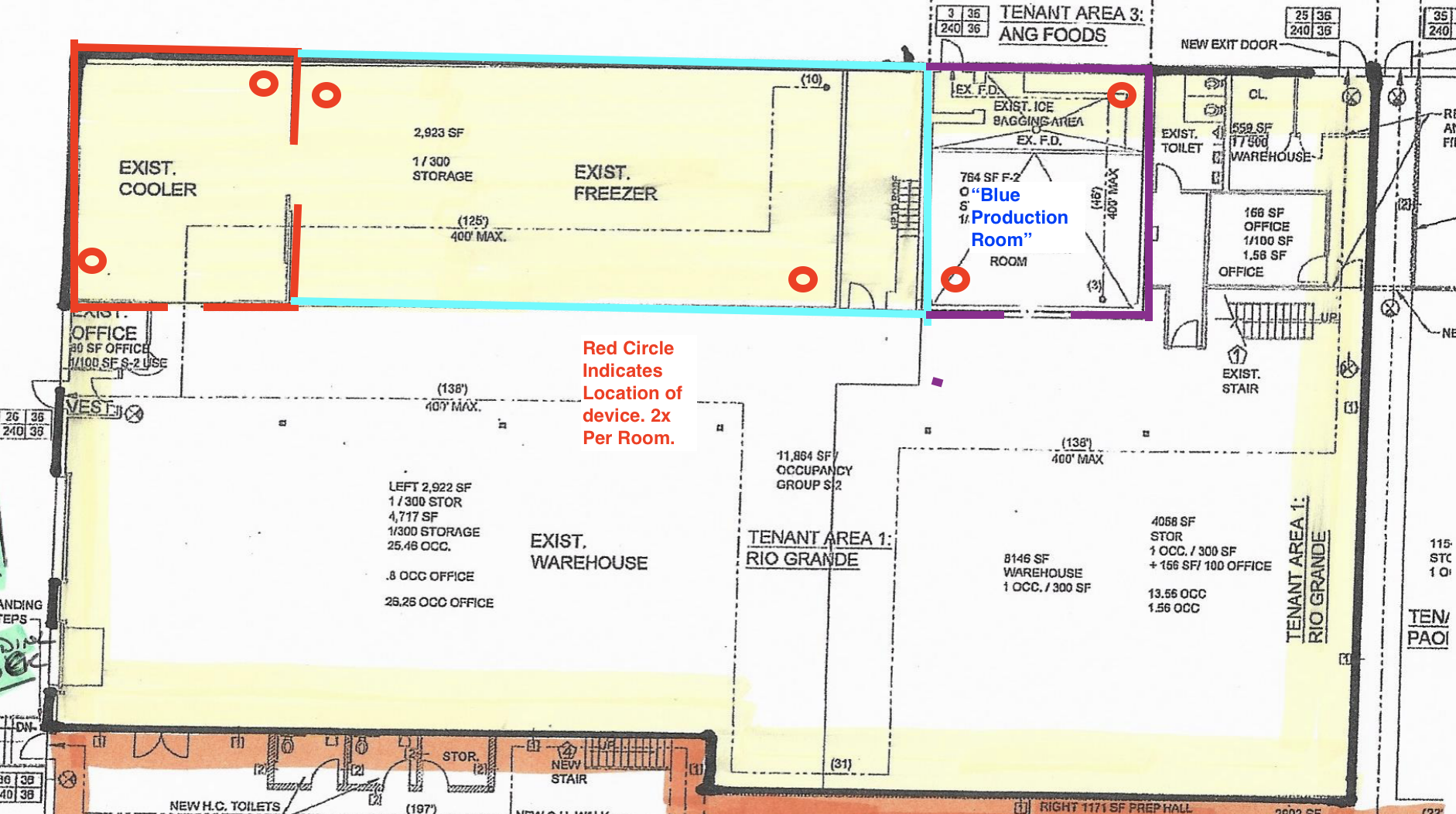
Primary production. 131,000 sq ft. Cold-chain end-to-end. Three lines covering assembly meal kits, USDA brown box, and frozen entrées.
Line 1Assembly meal kits — Right Start, Power UpLine 2USDA brown box — pancakes, school programsLine 3Frozen entrées — heat-and-serveReceiving6:00 AM – 2:30 PMShippingFirst wave 6:30 AM
Hermitage, PA · 2500 Freedland Rd
Secondary production + Midwest distribution. Two lines, regional reach into PA / OH / WV markets.
Line 1Assembly meal kits — Midwest fulfillmentLine 2Co-pack partnership runsReceiving7:00 AM – 3:00 PMShippingFirst wave 7:30 AM
Co-Pack Partners
Strategic co-packers handle volume we cannot run internally. Lot codes flow back into NetSuite for full traceability.
Partner
Specialty
Programs
Status
Bongards
Process cheese, barrel cheddar
USDA, K-12, NYC DOE
Active
US Waffle
Frozen waffles, pancakes
USDA brown box
Active
Echo Lake Foods
Egg products, breakfast
NYC DOE, K-12
Vendor + Customer
Production Schedule
Live production schedule lives in NetSuite under Manufacturing → Work Orders. Will surface here via RESTlet pull in Phase 2.
Phase 2 — Live data
Connecting to NetSuite saved searches: open work orders, today's planned runs, completed runs vs target, raw material availability.
Operations · Compliance · Cold Chain
Food Safety
Cold chain is sacred. Every lot traceable. Every complaint closed.
Cold Chain Compliance 99.97%Active Complaints (OFNS) 73FDA Registration CurrentHACCP Active
Complaints YTD
73
NYC OFNS master log · 2026-05-23
Complaints Closed
—
Will connect to log
Cold Chain Breaks
0
30-day rolling
Recalls
0
All-time
NYC OFNS Complaint Response Program
Every customer or agency complaint is logged, investigated, and closed with a written response. The program lives in Dropbox under Claude_Food Safety Response Program. Master log + DOCX letter generator + recap builder + Excel log.
Master Log73 complaints · current as of May 23, 2026Response SLA5 business days from intake to letterLetter FormatDOCX · GFS letterhead · CEO sign-offSchemalog_entry JSON · snake_case fields
Continuous temperature monitoring from receiving through delivery. No product touches ambient air uncontrolled.
Frozen Storage-10°F or colderRefrigerated Storage34°F – 38°FDock Hold30 min max at ambientReefer TrailersContinuous data loggerAudit TrailLot · Time · Temp · Driver
Recall Procedure
Mock recall every 12 months. Live recall procedure tested against 2-hour target (identify all customers receiving affected lot, notify, retrieve product).
Identify the affected lot in NetSuite. Pull all SOs that contain the lot.
Notify CEO + VP Compliance immediately. Hold all active shipments containing the lot.
Contact every customer that received the lot. Document outreach.
Arrange product retrieval. Issue credit memos.
Investigate root cause. File CAPA. Update HACCP if needed.
Close the loop with FDA / USDA / customer agencies as required.
Documents
Food safety policies, HACCP plans, lot certificates, and SOPs live in Dropbox. Spec sheets generated from ~/Desktop/GFS-NetSuite-Cloudflare/source-documents/Specification-Sheet/ with 124+ active products mirrored in D1 spec_items table.
Phase 2 — Live SOPs & spec sheet links
Surface every spec sheet, COA, SOP, and HACCP doc here with version + last-reviewed date. Auto-flag any cert within 30 days of expiration.
Business · Programs · Contracts
Programs
Active food distribution programs by customer segment — K-12, USDA, healthcare, distributors.
Programs 7 activeK-12 Districts 40+USDA Multi-yearTop Program NYC DOE B5875
NYCDOE Food Distribution Program
ContractB5875 NYC DOE Food DistributionGFS RoleApproved distributor — PUB items (commodity and commercial)Key ContactMichael Levine — Michael.Levine@GlobalFoodSolutions.coComplianceElena Misoulis — Elena.Misoulis@GlobalFoodSolutions.coSubmissionsProduct submission packets, spec sheets, CN labels required for new items
Northeast concentration intentional — short cold-chain lanes from supplier to Edgewood freezers. USDA partners diversified by region.
■ Hover or tap each pulse on the map for vendor details. Broker Coverage Map moved to Sales · Broker Portals tab.
Key Suppliers & Co-Packers
Primary vendor relationships. Contact Michael Levine for pricing and contract questions.
Supplier
Location
Products
Phone
Harvest Bakery
865 Waverly Ave, Holtsville, NY 11742
Baked goods, bread products
(631) 232-1709
Echo Lake Foods
Burlington, WI / Franksville, WI / Owensboro, KY / Huntington, IN
Frozen entrees, meal components
(800) 888-3447
Codino's Foods
704 Corporations Park, Scotia, NY 12302
Italian specialty items
(518) 372-3308
Maid Rite Specialty Foods
105 Keystone Industrial Park, Dunmore, PA 18512
Specialty meat products
(800) 233-4259
Giovanni Foods
8800 Sixty Road, Baldwinsville, NY 13027
Sauces, Italian products
(315) 457-2373
Bongards Creameries
Perham, MN
USDA barrel cheddar, cheese products
US Waffle
Pancakes, waffles (USDA Brown Box co-packer)
Masserio Brothers
114 Clinton Road, Fairfield, NJ 07004
Insurance Broker
AgencyOxford Millin Insurance AgencyContactJames HughesPhone(631) 434-6666 ext. 220Emailjimh@oxfordins.comAddressP.O. Box 5030, Bay Shore, NY 11706CarriersHartford Fire Insurance (GL), Hartford Casualty (Umbrella)COI StatusNeeds renewal — last policy expired 3/9/2025
Banking
BankChase Bank — Hauppauge BranchAddress200 Motor Parkway, Hauppauge, NY 11788Phone(631) 273-0705Account NameGlobal Food Solutions, Inc.Account TypeCheckingRouting / Acct #Contact Michael Levine for details
Always call (877) 728-5550 or (631) 332-7754 to verify any banking changes or wire instructions before processing. Never act on emailed banking changes without verbal confirmation.
Address Edgewood NY 11717Main(877) 728-5550Receiving Mon–Fri 7:00 AM – 3:30 PMCoords 40.7857° N · 73.3179° W
Shareable Visitor Guide
Send this link to anyone visiting — vendors, customers, brokers, guests. Clean mobile-friendly page with directions, train info, hotels, and arrival instructions.
SepticExisting — approved by Town of Islip 8/22/1995Leaching PoolExisting — approved by Town of Islip 8/22/1995Fire AccessCompliant per NYS FC 503.1.1 — 20 FT fire lane maintainedTenancySingle building — sole occupant (GFS)Adjacent EastU.S. Alliance Paper, Inc.Adjacent SouthLong Island Avenue
Copy and send to any carrier or driver making deliveries.
DELIVERY INSTRUCTIONS — Global Food Solutions, Inc.
131 Heartland Blvd, Edgewood, NY 11717
Located inside Heartland Business Center (400-acre campus)

GPS: https://www.google.com/maps/dir//131+Heartland+Blvd,+Edgewood,+NY+11717
Waze: https://www.waze.com/ul?q=131%20Heartland%20Blvd%20Edgewood%20NY%2011717

*** IMPORTANT — TRUCK RESTRICTIONS ***
ALL Long Island parkways (Sagtikos, Southern State, Northern State) PROHIBIT commercial vehicles.
Low stone bridges have clearances as low as 6'11". DO NOT use parkways.
Trucks MUST use the LIE (I-495) or Sunrise Highway (Rt 27).

FROM THE LONG ISLAND EXPRESSWAY (I-495) — TRUCKS:
- Take Exit 52 (Commack Road / CR 4)
- Head south on Commack Road
- Turn left (east) on Long Island Avenue
- You will enter Heartland Business Center (pass Heartland Golf Park driving range on right)
- Turn right on Heartland Blvd
- 131 is on the left side

FROM SUNRISE HIGHWAY (Route 27) — TRUCKS:
- Head north on Commack Road or Fifth Avenue
- Turn east on Long Island Avenue into Heartland Business Center
- Turn right on Heartland Blvd
- 131 is on the left side

LANDMARK: Heartland Golf Park driving range is at the entrance to the business center off Long Island Avenue.
NEIGHBOR: CPI Aerostructures (91 Heartland Blvd) is nearby for reference.

RECEIVING HOURS: Monday – Friday, 7:00 AM – 3:30 PM
APPOINTMENT REQUIRED: Yes — call (877) 728-5550 to schedule
DOCK: 3 loading docks with levelers + 1 drive-in entrance (rear of building)
PARKING: 116 spaces available
CONTACT ON ARRIVAL: Call (877) 728-5550

Please check in at the front office upon arrival.
No overnight parking.
How to Get Here — Visitor Guide
By Car
From LIE (I-495)Exit 52 (Commack Rd) → South on Commack Rd → Left on Long Island Ave → Right on Heartland BlvdFrom Sagtikos PkwyExit S3 (Pine Aire Dr) → East to Long Island Ave → Heartland Blvd (cars only — no trucks on parkways)From NYC~50 miles, approx 1 hour via LIEParking116 spaces — free on-site parkingWazeOpen in Waze
Truck drivers: All Long Island parkways (Sagtikos, Southern State, Northern State) prohibit commercial vehicles. Low bridge clearances as low as 6'11". Use LIE Exit 52 or Sunrise Hwy only.
By Train (LIRR)
Nearest StationDeer Park (LIRR Ronkonkoma Branch)Distance~1.5 miles from station to facilityFrom Penn Station~1 hour 10 min to Deer ParkFrom StationShort Uber/Lyft ride or ~25 min walkScheduleMTA.info/schedules — Ronkonkoma Branch
Tip: Take the Ronkonkoma Branch from Penn Station. Deer Park is about 6 stops. An Uber from Deer Park station to 131 Heartland Blvd is about 5 minutes and ~$8.
Nearby Hotels
Hotel
Distance
Notes
Holiday Inn Express Deer Park
~2 miles
Right off LIE Exit 53
Hampton Inn Islandia
~4 miles
Off Veterans Memorial Hwy
Hilton Garden Inn Islip
~5 miles
Near Islip MacArthur Airport (ISP)
Marriott Melville
~8 miles
Full service, Route 110 corridor
Nearest Airport
Long Island MacArthur (ISP)~6 miles / 12 min — Southwest, Breeze, FrontierJFK (JFK)~45 miles / 50 minLaGuardia (LGA)~50 miles / 55 min
Facility Operations & Building Specs
Total Building
35,000 SF
10,700 SF office + 24,300 SF warehouse
Ceiling Height
20 ft
Clear warehouse height
Loading Docks
3 + 1 Drive-in
3 docks with levelers, 1 drive-in entrance
Lot Size
3.0 acres
116 parking spaces
Electrical
1,200 amps
Industrial power capacity
Temperature Zones
Ambient, Cooler, Freezer
Walk-in freezer and cooler on-site
Production Lines
4 Lines
#1 Sandwich, #2 Meal Kit, #3 Meal Kit, #4 VFFS
Certifications
SQF Certified
HACCP, FDA registered
Building Amenities
Conference CenterCulinary Center / KitchenWalk-in FreezerWalk-in CoolerSeminar RoomPrivate Guest OfficesA/V SystemWireless Internet
Best trains to catch for 8 AM arrival: 6:10 AM — arrives Penn ~7:20 AM 6:40 AM — arrives Penn ~7:50 AM 7:10 AM — arrives Penn ~8:20 AM Trains run every ~20-30 min peak hours
Evening — Penn Station to Deer Park
Best trains home after work: 5:07 PM — arrives Deer Park ~6:15 PM 5:37 PM — arrives Deer Park ~6:45 PM 6:07 PM — arrives Deer Park ~7:15 PM Last train ~12:45 AM
RouterNetgearAdmin URL192.168.1.1UsernameadminPassword(blank — no password)
To update WiFi passwords: Log into the router at 192.168.1.1 (must be on the local network). Never share the corporate WiFi password with visitors — use GFS-Guest instead.
Optimum Business InternetSMB PhoneStatic IPModemSmart RouterService ProtectionBusiness Priority SLA
How to Connect — Guest Instructions
Copy and send to visitors or post in the conference room.
Welcome to Global Food Solutions!

WiFi Network: GFS-Guest
Password: (ask at front desk)

To connect:
1. Open WiFi settings on your device
2. Select "GFS-Guest"
3. Enter the password above
4. You're connected!

If you need help, ask anyone at the front desk or call (877) 728-5550.
Company Systems
System
What It's For
Who Uses It
NetSuite
ERP — orders, inventory, invoicing, financials
Corporate office staff
Zoho Mail
Company email (@GlobalFoodSolutions.co)
All corporate staff
Paychex
Payroll, employee records, time tracking
Michael, Lorraine, Amanda
GFS Corporate Hub
This dashboard — company info, docs, templates
All team members
Google Workspace
Shared documents, sheets (Good Eats sheet, etc.)
Corporate staff
Printer / Scanner Setup
Office PrinterAsk at front desk for printer name and setup helpScanningScan to email available — documents go to your inbox
IT Support
Email IssuesContact Michael Levine — email adminNetSuite IssuesContact Michael Levine — system adminPayroll IssuesContact Amanda SwerdlowWiFi / NetworkContact Michael LevineEquipment / FacilityContact Richard Gallo
Every external tool GFS uses — finance, ops, design, AI. Click to open.
Tools 12+Categories 5Owners Department leadsRenewal Tracked
Corporate software, portals, and services. Click any card to open. Grouped by function.
NetSuite Tools (Suitelets)
Custom dashboards powered by live NetSuite data. Links activate as each suitelet is deployed.
SO
Open Orders
Sales orders — status, ship dates
AR
AR Aging
Who owes, how much, how old
INV
Inventory
On hand, committed, available
CU
Customer Lookup
Account, terms, order history
PO
Purchase Orders
Open POs, expected receipts
WO
Production
Work orders, line status
VN
Vendor Lookup
Contacts, purchase history
SH
Shipping
Today's shipments, tracking
Each tool is a custom NetSuite suitelet — clean, focused interface replacing default NetSuite menus. Cards activate as suitelets are deployed. Built with Claude Code + SuiteScript.
To Whom It May Concern,
Global Food Solutions, Inc. has received a credit application from [CUSTOMER NAME] and they have listed your company as a trade reference.
We would greatly appreciate it if you could provide the following information:
- How long has this company been a customer of yours?
- What credit limit do you extend to them?
- What are your payment terms with this customer?
- What is their typical payment pattern? (Prompt / 15 days / 30 days / 60+ days)
- Have you had any collection issues?
- Would you continue to extend credit to this company?
Any additional comments regarding their creditworthiness would be appreciated.
This information will be kept strictly confidential. Please respond to AR@GlobalFoodSolutions.co or fax to (631) 348-7847.
Thank you for your time and assistance.
Best regards,
[YOUR NAME]
[YOUR TITLE]
Global Food Solutions, Inc.
131 Heartland Blvd, Edgewood, NY 11717
O: (877) 728-5550
AR@GlobalFoodSolutions.co
Credit Approval Notification
Subject: Welcome to Global Food Solutions — Your Account is Active
Hi [CUSTOMER NAME],
Great news — your credit application has been approved and your account with Global Food Solutions is now active.
Here are your account details:
- Account Number: [ACCOUNT NUMBER]
- Credit Limit: $[CREDIT LIMIT]
- Payment Terms: Net 30
- Order Contact: Danielle Scibelli — Danielle@GlobalFoodSolutions.co
To place your first order, reach out to Danielle directly or through your assigned broker. We can typically ship within [X] business days of order confirmation.
A few things to keep in mind:
- Invoices will be sent to the AP email you provided on your setup form
- Payment remittances should be sent to AR@GlobalFoodSolutions.co
- Our remit-to address: 131 Heartland Blvd, Edgewood, NY 11717
We look forward to working with you. Please don't hesitate to reach out with any questions.
Best regards,
Michael Levine
CEO
Global Food Solutions, Inc.
131 Heartland Blvd, Edgewood, NY 11717
M: (631) 332-7754
O: (877) 728-5550
Michael.Levine@GlobalFoodSolutions.co
www.GlobalFoodSolutions.co
Credit Hold / Additional Info Needed
Subject: Global Food Solutions — Additional Information Needed for Account Setup
Hi [CUSTOMER NAME],
Thank you for submitting your credit application with Global Food Solutions. We've begun our review and need a bit more information before we can finalize your account:
[SELECT WHAT APPLIES — DELETE THE REST]
- We were unable to verify one or more of the trade references provided. Could you provide an updated contact or an additional reference?
- We need a copy of your current W-9 for our records.
- We need a voided check or bank verification letter to set up ACH payments.
- We need your resale certificate / tax-exempt certificate for your state.
- We'd like to discuss a potential credit limit and payment terms that work for both sides.
Once we receive the above, we'll complete our review within 3-5 business days.
In the meantime, we can process orders on a prepaid basis if you'd like to get started right away.
Please don't hesitate to reach out with any questions.
Best regards,
Michael Levine
CEO
Global Food Solutions, Inc.
131 Heartland Blvd, Edgewood, NY 11717
M: (631) 332-7754
O: (877) 728-5550
Michael.Levine@GlobalFoodSolutions.co
www.GlobalFoodSolutions.co
Hi [CUSTOMER NAME / BUYER NAME],
I'm writing to let you know about an upcoming price adjustment on the following item(s):
[ITEM 1 — DESCRIPTION]
- Current Price: $[CURRENT] / [UNIT]
- New Price: $[NEW] / [UNIT]
- Effective Date: [DATE]
[ITEM 2 — IF APPLICABLE]
- Current Price: $[CURRENT] / [UNIT]
- New Price: $[NEW] / [UNIT]
- Effective Date: [DATE]
This adjustment reflects [BRIEF REASON — e.g., "increases in raw material costs," "market movement on the CME," "updated freight surcharges"].
Any orders placed before [DATE] will ship at the current pricing. We wanted to give you advance notice so you can plan accordingly.
If you have any questions or would like to discuss, I'm happy to jump on a call.
Best regards,
Michael Levine
CEO
Global Food Solutions, Inc.
131 Heartland Blvd, Edgewood, NY 11717
M: (631) 332-7754
O: (877) 728-5550
Michael.Levine@GlobalFoodSolutions.co
www.GlobalFoodSolutions.co
Past Due Reminder
Subject: Friendly Reminder — Outstanding Balance on Account
Hi [AP CONTACT NAME],
I hope this message finds you well. This is a friendly reminder that we show the following invoice(s) as past due on your account:
Invoice #[NUMBER] — $[AMOUNT] — Due [DATE] — [X] days past due
[ADDITIONAL INVOICES IF APPLICABLE]
Total Outstanding: $[TOTAL]
Our payment terms are Net 30. If payment has already been sent, please disregard this notice and send a copy of the remittance to AR@GlobalFoodSolutions.co so we can apply it promptly.
If there are any questions or discrepancies regarding these invoices, please let us know and we'll get them resolved right away.
Payment can be sent to:
- Check: Global Food Solutions, Inc., 131 Heartland Blvd, Edgewood, NY 11717
- ACH/EFT: Contact AR@GlobalFoodSolutions.co for bank details
- Remittance copies: AR@GlobalFoodSolutions.co (CC: Amanda.Swerdlow@GlobalFoodSolutions.co)
Thank you for your attention to this.
Best regards,
[YOUR NAME]
[YOUR TITLE]
Global Food Solutions, Inc.
O: (877) 728-5550
AR@GlobalFoodSolutions.co
Certificate of Insurance (COI) Request
Subject: Certificate of Insurance Request — Global Food Solutions
Hi [CONTACT NAME],
As part of our vendor / co-packer qualification process, we need a current Certificate of Insurance (COI) on file for [COMPANY NAME].
Please have your insurance provider issue a COI listing the following as the certificate holder:
Global Food Solutions, Inc.
131 Heartland Blvd
Edgewood, NY 11717
We require the following minimum coverage:
- General Liability: $1,000,000 per occurrence / $2,000,000 aggregate
- Product Liability / Completed Operations: $1,000,000
- Umbrella / Excess: $5,000,000
- Workers' Compensation: Statutory limits
- Auto Liability: $1,000,000 (if applicable)
Please send the COI to Michael.Levine@GlobalFoodSolutions.co.
If your current coverage differs from the above, please let us know and we can discuss.
Thank you for your prompt attention to this.
Best regards,
Michael Levine
CEO
Global Food Solutions, Inc.
131 Heartland Blvd, Edgewood, NY 11717
M: (631) 332-7754
O: (877) 728-5550
Michael.Levine@GlobalFoodSolutions.co
www.GlobalFoodSolutions.co
Broker Introduction
Subject: Introduction — Global Food Solutions Partnership
Hi [BROKER NAME],
My name is Michael Levine and I'm the CEO of Global Food Solutions, Inc. We're a food distributor based in Edgewood, NY specializing in [RELEVANT PRODUCT CATEGORIES — e.g., "dairy, cheese, frozen foods, USDA commodity products, and institutional food service"].
We're looking for a strong broker partner to help us grow our presence in [TERRITORY / CHANNEL — e.g., "the K-12 school food service channel in the Northeast" or "retail accounts in the Southeast"].
A bit about us:
- Full-service food distributor with national reach
- USDA-approved vendor (commodity and commercial)
- Strong relationships with major co-packers and manufacturers
- Competitive pricing on cheese, dairy, frozen, and dry goods
We'd love to set up a call to discuss how we might work together. I'm available most days — feel free to call me directly or suggest a time that works for you.
I've attached a brief overview of our product lines and capabilities for your reference.
Best regards,
Michael Levine
CEO
Global Food Solutions, Inc.
131 Heartland Blvd, Edgewood, NY 11717
M: (631) 332-7754
O: (877) 728-5550
Michael.Levine@GlobalFoodSolutions.co
www.GlobalFoodSolutions.co
To Whom It May Concern,
Thank you for your inquiry regarding [VENDOR/PARTNER NAME]. We are happy to provide the following trade reference:
- Relationship Duration: [X years/months]
- Current Credit Terms: [Net 30 / COD / Prepaid]
- Credit Limit Extended: $[AMOUNT]
- Average Monthly Volume: $[AMOUNT]
- Payment History: [Prompt / Generally within terms / Occasionally late — provide honest assessment]
- Collection Issues: [None / Describe if applicable]
- Would we continue to extend credit: [Yes / Yes with conditions]
Additional Comments:
[OPTIONAL — Any relevant context about the business relationship]
This information is provided in confidence for credit evaluation purposes only.
Best regards,
[YOUR NAME]
[YOUR TITLE]
Global Food Solutions, Inc.
131 Heartland Blvd, Edgewood, NY 11717
O: (877) 728-5550
AR@GlobalFoodSolutions.co
Brand · Email Signature
Signatures
Build and copy a v10-branded email signature in any role.
Fill in the fields below to generate a formatted email signature for any team member.
Preview
How to install in your email client:
1. Click "Copy HTML Signature" above
2. In Zoho Mail: Settings → Signatures → Add Signature → paste into the editor
3. In Gmail: Settings → See all settings → Signature → Create new → paste
4. In Outlook: File → Options → Mail → Signatures → New → paste
Agents 4 liveProvider Claude Opus / SonnetStorage localStorage gfs-claude-keyOwner Mike Levine
AI Agents for Your Team
Each agent is a pre-configured Claude AI assistant with specific instructions for a task. Your team members connect their Claude account (via the profile settings in the sidebar) and can use these agents directly from the chat bubble or from claude.ai.
NS
NetSuite Query Agent
Ask questions about orders, inventory, customers, vendors
This agent has access to your NetSuite data via MCP. Ask it things like "show me open orders for Gold Star Foods" or "what's our AR aging over 60 days?" and it queries NetSuite directly.
Requires: Claude API key + NetSuite MCP server configured
CS
Customer Service Agent
Draft emails, look up account info, process requests
Helps Danielle and the order team draft customer emails, look up pricing, check order status, and generate responses. Pre-loaded with GFS templates and customer communication guidelines.
Helps Sydney and Elena answer food safety questions, review recall procedures, check allergen profiles, and prepare for SQF audits. Knows GFS's HACCP plan and regulatory requirements.
Helps Amanda with AR aging analysis, draft collection emails, review credit applications, and generate payment routing instructions. Knows GFS payment terms and bank details.
Requires: Claude account (Team plan)
HR
HR / Onboarding Agent
New hire checklists, policy questions, training requirements
Walks through the 18-step onboarding checklist, answers employee policy questions, tracks training requirements, and helps with Paychex setup. Knows GFS handbook and HR procedures.
Requires: Claude account (Team plan)
GFS
GFS Company Agent
General company questions, find information, navigate the hub
The general-purpose GFS assistant — already built into the chat bubble. Knows all company info, contacts, procedures, and can navigate team members to the right section of the dashboard.
Status: Active — click the ? bubble in the bottom right
How to Connect
1. Click your profile in the sidebar footer (bottom left) 2. Enter your Claude API key (get one at console.anthropic.com) 3. Click the ? chat bubble in the bottom right 4. Ask any question — the agent will respond using your Claude account
Your API key is stored only in your browser. It's never sent to our servers — it goes directly to Claude's API.
AI · Skills · Marketplace
Skills Marketplace
Reusable AI skills for the team. Each skill is a sharp, single-purpose helper.
Pre-built Claude Code skills for common GFS tasks. Each skill is a slash command that automates a specific workflow. Team members can add these to their Claude Code setup.
NS
/suiteorders
NetSuite
Orders & fulfillment agent — routes to order sub-skills for open orders, shipping, past due, receiving
For Claude Code (CLI):
Skills are automatically available when you open Claude Code in the GFS project directory. Just type the slash command (e.g., /suiteorders) and the skill runs.
For Claude.ai (Web/App):
Skills are available as Projects in your Claude Team account. Ask Michael to add you to the GFS Team workspace.
Request a new skill:
Post in the Updates feed with what you need automated. Michael will build it.
Initial HTML dashboard (index.html) with tabbed navigation
8 email/letter templates
Email signature generator
Data Backup & Export
All dashboard data (posts, calendar, news, kanban, training, admin items) lives in your browser's localStorage. Export regularly to protect your data.
What's backed up: Blog posts, comments, calendar events, industry news, kanban board, admin tasks/ideas/bugs/notes, training records, user profile, theme preference. Tip: Download a backup before clearing browser data or switching computers. Store backups in Dropbox.
Build Stats
Tabs
16
Employees in Org Chart
48
Email Generators
6
Letter Templates
8
Brand Templates
5
Hosted At
gfs-hub.pages.dev
Built With
Claude Code
First Deploy
May 9, 2026
Help · Reference · Onboarding
Help & Reference
How to use this dashboard, every tab explained, keyboard shortcuts, support contacts.
Tabs 33Pages +8 standaloneSupport Mike or VPUpdated May 2026
GFS Digital Properties
All live GFS dashboards and tools hosted on Cloudflare Pages.